What is a SOA Record?
The SOA record is the first record in every DNS zone — it defines who controls the zone, how updates are distributed, and how long data should be cached. Here is how it works.
Quick Answer
A SOA (Start of Authority) record is a mandatory DNS record that contains administrative information about a DNS zone. It identifies the primary nameserver, the zone administrator's email, a serial number for tracking changes, and timing values that control how secondary servers sync with the primary. Every DNS zone must have exactly one SOA record.
1. What Does a SOA Record Do?
DNS servers are usually set up in clusters — a primary server holds the master copy of your zone data, and secondary servers hold copies. The SOA record controls how these servers communicate and stay in sync.
Think of it as the instruction manual at the top of your DNS zone file. It tells secondary servers: who is the primary server, how often to check for updates, what to do if the primary is unreachable, and when to stop serving data if they lose contact entirely.
Key point: You rarely need to edit your SOA record manually. Most DNS providers (Cloudflare, Route 53, Google Cloud DNS) manage it automatically. Understanding it helps you troubleshoot DNS issues and zone transfer problems.
2. SOA Record Fields Explained
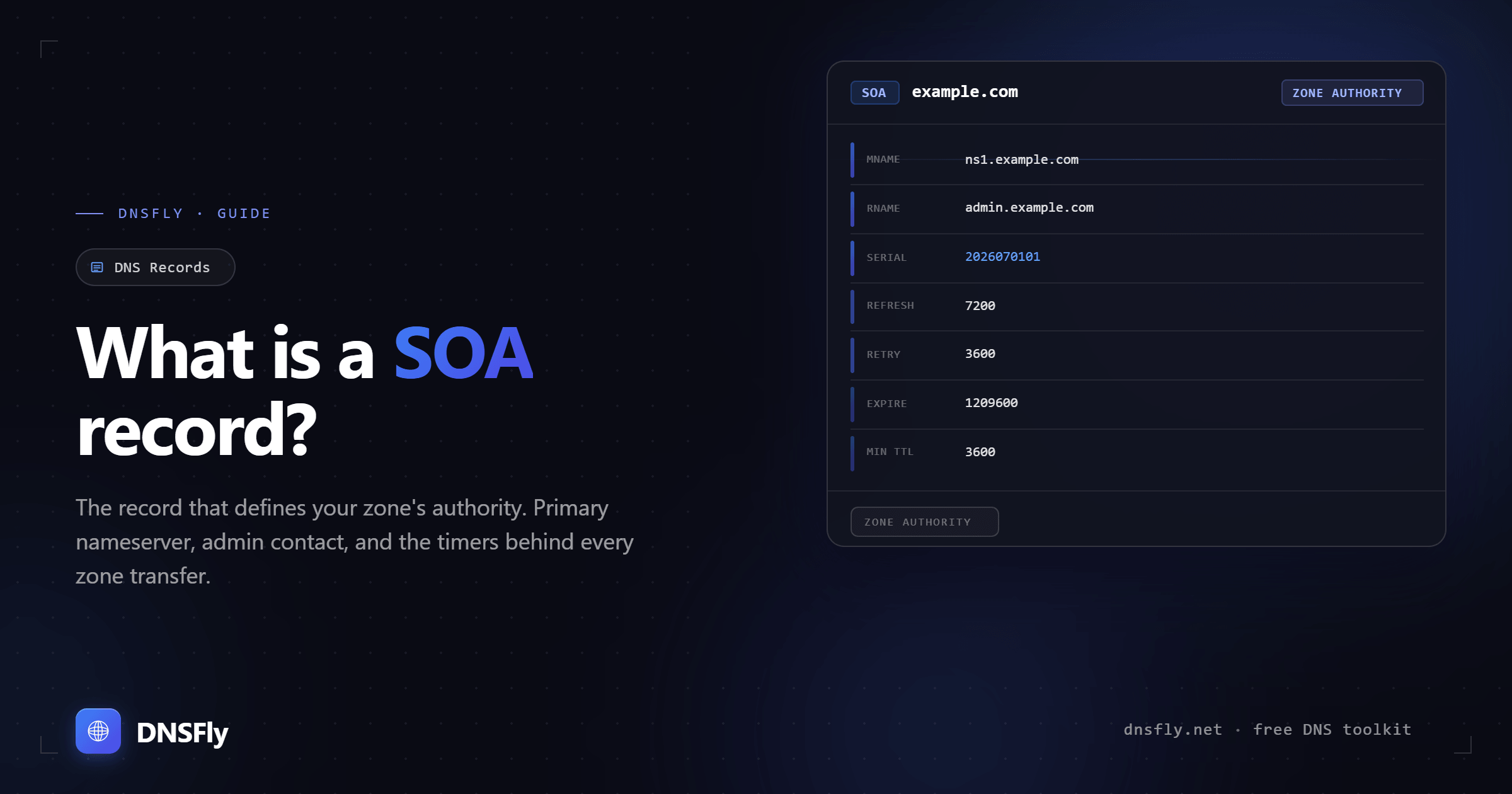
A SOA record contains 7 fields. Here is what a real SOA record looks like:
| Field | Example | Purpose |
|---|---|---|
| MNAME | ns1.example.com | Primary nameserver for the zone — the master source |
| RNAME | admin.example.com | Admin email (@ replaced with a dot, so admin.example.com = admin@example.com) |
| Serial | 2026022801 | Version number — must increment with every zone change |
| Refresh | 7200 (2 hours) | How often secondary servers check the primary for updates |
| Retry | 3600 (1 hour) | Wait time before retrying a failed refresh |
| Expire | 1209600 (14 days) | How long a secondary server serves data without reaching the primary |
| Minimum TTL | 3600 (1 hour) | How long resolvers cache negative responses (record not found) |
3. How the SOA Controls Zone Transfers
The SOA record's timing fields orchestrate how DNS data flows from primary to secondary servers:
Step 1: Refresh check
Every Refresh interval, secondary servers query the primary's SOA record and compare the serial number. If the serial is higher, the secondary requests a zone transfer to get updated data.
Step 2: Retry on failure
If the primary server is unreachable during a refresh, the secondary waits the Retry interval and tries again. This is always shorter than the Refresh interval.
Step 3: Expire failsafe
If the secondary can't reach the primary for the entire Expire period, it stops serving DNS data for the zone. This prevents serving dangerously outdated information.
Serial number format: Most administrators use the date format YYYYMMDDNN — for example, 2026022801 means the first change on February 28, 2026. The second change that day would be 2026022802.
4. Recommended SOA Values
| Field | Small/Stable Zone | Large/Dynamic Zone |
|---|---|---|
| Refresh | 86400 (24 hours) | 3600 (1 hour) |
| Retry | 7200 (2 hours) | 900 (15 minutes) |
| Expire | 3600000 (~41 days) | 1209600 (14 days) |
| Minimum TTL | 172800 (2 days) | 3600 (1 hour) |
These are guidelines, not rules. Your DNS provider may set different defaults. The key principle: more dynamic zones need shorter intervals so changes propagate faster. Stable zones can use longer intervals to reduce unnecessary traffic between servers.
5. Common SOA Issues and Fixes
DNS changes not propagating
Check the serial number — if it wasn't incremented after your last change, secondary servers won't pick up the update. Use dig example.com SOA +short to verify the serial matches across all nameservers.
Zone transfer failures
Ensure the primary nameserver (MNAME) is accessible and allows zone transfers to your secondary servers. Firewalls blocking TCP port 53 are a common cause.
Secondary servers serving stale data
If the expire value is too long, secondary servers keep serving old data when the primary is down. If too short, they stop responding prematurely. Balance based on how critical uptime is.
Non-existent subdomains cached too long
The Minimum TTL controls negative caching. If it's set too high, deleted records or typos will show as "not found" for longer than expected. A value of 3600 seconds (1 hour) is a safe default.
6. How to Check a SOA Record
You can also use DNSFly's SOA Record Lookup to view your SOA record across 21 global servers, useful for confirming that all servers have the same serial number after a zone change.
Check Your SOA Record Globally
Verify your SOA record is consistent across all DNS servers. Select SOA from the record type dropdown to see the full record from 21 locations worldwide.