What is WHOIS?
WHOIS is the internet's public directory for domain ownership. Here's what it shows, how it works, and what's changed since GDPR and the switch to RDAP.
Quick Answer
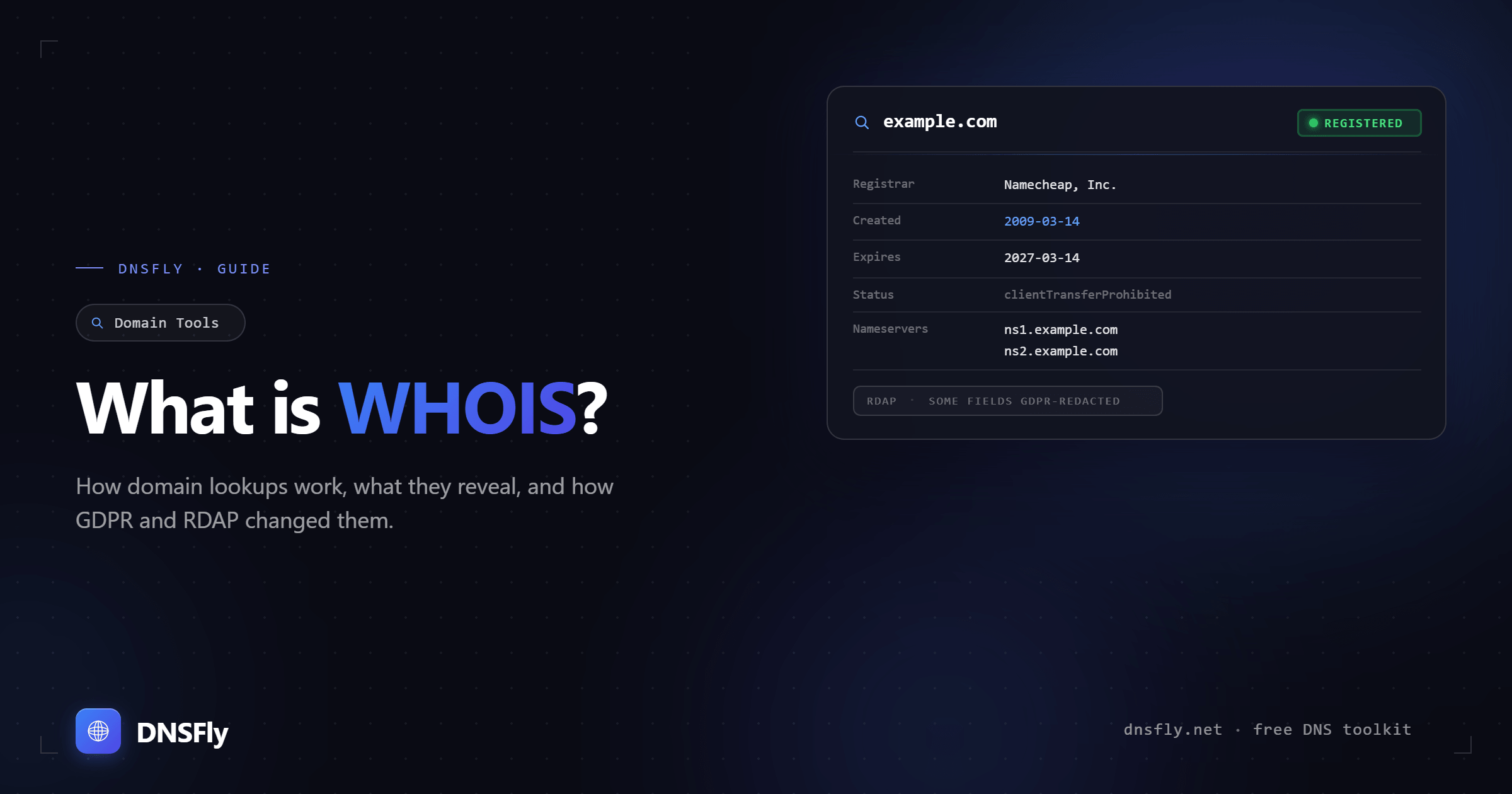
WHOIS (pronounced "who is") is a system for looking up information about who registered a domain name. A WHOIS lookup can reveal the domain's registrar, registration and expiration dates, nameservers, and sometimes the owner's contact details. Since GDPR took effect in 2018, most personal information is redacted by default. In January 2025, the WHOIS protocol was officially replaced by RDAP — though the term "WHOIS lookup" is still commonly used.
What is WHOIS?
WHOIS is a protocol and database that stores registration information about domain names. Every time someone registers a domain, ICANN (the organization that coordinates domain names globally) requires the registrar to collect and store the owner's contact information.
Think of it like a land registry for the internet. Just as you can look up who owns a piece of property, WHOIS lets you look up who registered a domain name, when they registered it, and when it expires.
A typical WHOIS record includes:
Domain name
The domain being queried (e.g. example.com)
Registrar
The company where the domain was registered (e.g. GoDaddy, Namecheap, Cloudflare)
Registration and expiration dates
When the domain was first registered and when it's set to expire
Nameservers
The nameservers the domain is pointing to (e.g. ns1.cloudflare.com)
Registrant contact (often redacted)
The domain owner's name, email, phone, and address — though since GDPR, this is usually hidden behind a privacy proxy
What Does a WHOIS Lookup Actually Show?
What you see in a WHOIS lookup depends on whether the domain owner has privacy protection enabled. Here's the difference:
| Field | Without Privacy | With Privacy (most domains) |
|---|---|---|
| Registrant name | John Smith | Redacted for privacy |
| john@example.com | Proxy email from registrar | |
| Phone | +1.5551234567 | Redacted for privacy |
| Registrar | Namecheap, Inc. | Namecheap, Inc. |
| Created date | 2020-03-15 | 2020-03-15 |
| Expiry date | 2026-03-15 | 2026-03-15 |
| Nameservers | ns1.cloudflare.com | ns1.cloudflare.com |
Notice that registrar, dates, and nameservers are always visible. These are useful even when personal details are hidden — you can still determine the domain's age, when it expires, and which DNS provider is being used.
Why WHOIS Matters
Even with privacy protections, WHOIS data is useful for several practical purposes:
Buying or acquiring a domain
Check if a domain is taken, when it expires, and who the registrar is. If you want to make an offer, knowing the registrar helps you contact the owner through their proxy email.
Investigating suspicious websites
WHOIS data can reveal if a domain was just registered (a common sign of phishing or scam sites). A brand-new domain claiming to be a well-known company is a red flag.
Checking domain age
Domain age is a factor in SEO and trust. Older domains generally carry more authority. You can check domain age with DNSFly's Domain Age Checker.
Trademark and legal disputes
If someone registers a domain that infringes on your trademark, WHOIS data is the starting point for identifying the registrant and pursuing a domain dispute through ICANN's UDRP process.
Troubleshooting DNS issues
When a domain isn't resolving, checking WHOIS can quickly tell you if it's expired or if the nameservers are misconfigured. It's often the first step in DNS troubleshooting.
GDPR, Privacy, and the Switch to RDAP
WHOIS has changed dramatically in recent years. Here's what happened and why:
Before 2018: Everything was public
WHOIS records showed the registrant's full name, email, phone number, and physical address. Anyone could look up who owned any domain. Spammers and scammers regularly harvested this data.
May 2018: GDPR takes effect
The EU's General Data Protection Regulation forced registrars to stop exposing personal data without consent. Most registrars began redacting contact information from WHOIS records by default — not just for EU citizens, but for all domain owners.
January 2025: WHOIS replaced by RDAP
ICANN officially retired the WHOIS protocol and replaced it with RDAP (Registration Data Access Protocol). RDAP uses HTTPS, returns data in standardized JSON format, and has built-in access controls. Most users won't notice the difference — lookup tools now use RDAP behind the scenes.
| WHOIS (legacy) | RDAP (current) | |
|---|---|---|
| Protocol | Plain text over port 43 | HTTPS (RESTful API) |
| Data format | Unstructured text | Standardized JSON |
| Access control | None — fully public | Tiered — different access levels |
| Encryption | None | HTTPS required |
| Status | Retired (Jan 2025) | Active — current standard |
Note: Even though the WHOIS protocol is retired, the term "WHOIS lookup" is still universally used. When someone says "do a WHOIS lookup," they mean "look up domain registration data" — regardless of whether the tool uses WHOIS or RDAP under the hood.
How to Do a WHOIS Lookup
You can look up any domain's registration data using DNSFly's WHOIS Lookup:
Step 1: Go to DNSFly WHOIS Lookup
Step 2: Enter the domain name (e.g. google.com)
Step 3: Click Lookup — you'll see the registrar, registration date, expiry date, nameservers, and any available contact information
You can also do WHOIS lookups from the command line:
# Mac / Linux
whois google.com

# Windows (PowerShell)
Invoke-WebRequest https://whois.iana.org/api/v1/google.com
For a more user-friendly experience with parsed, readable results, use a web-based tool like DNSFly's WHOIS Lookup.
Common WHOIS Mistakes
Not enabling WHOIS privacy
If you register a domain without privacy protection, your personal name, email, phone number, and address could be publicly visible. Most registrars now offer free privacy — make sure it's enabled.
Letting a domain expire by accident
WHOIS records show your domain's expiration date. If you don't renew in time, your domain enters a grace period and eventually becomes available for anyone to register. Set up auto-renewal to avoid this.
Outdated contact information
ICANN requires accurate WHOIS data. If your registrar sends a verification email to an outdated address and you don't respond, they can suspend your domain. Keep your contact information current, even if it's behind a privacy proxy.
Trusting WHOIS data blindly
WHOIS data is self-reported by registrants. While ICANN requires accuracy, there's no real-time verification. Scammers can register domains with fake information. Don't assume WHOIS contact details are always legitimate.
Look Up Any Domain
Check registration details, expiry dates, nameservers, and ownership information for any domain name.