Best Public DNS Servers (2026)
Switching to a better DNS server can make your internet faster and more secure. Here's a comparison of the best options.
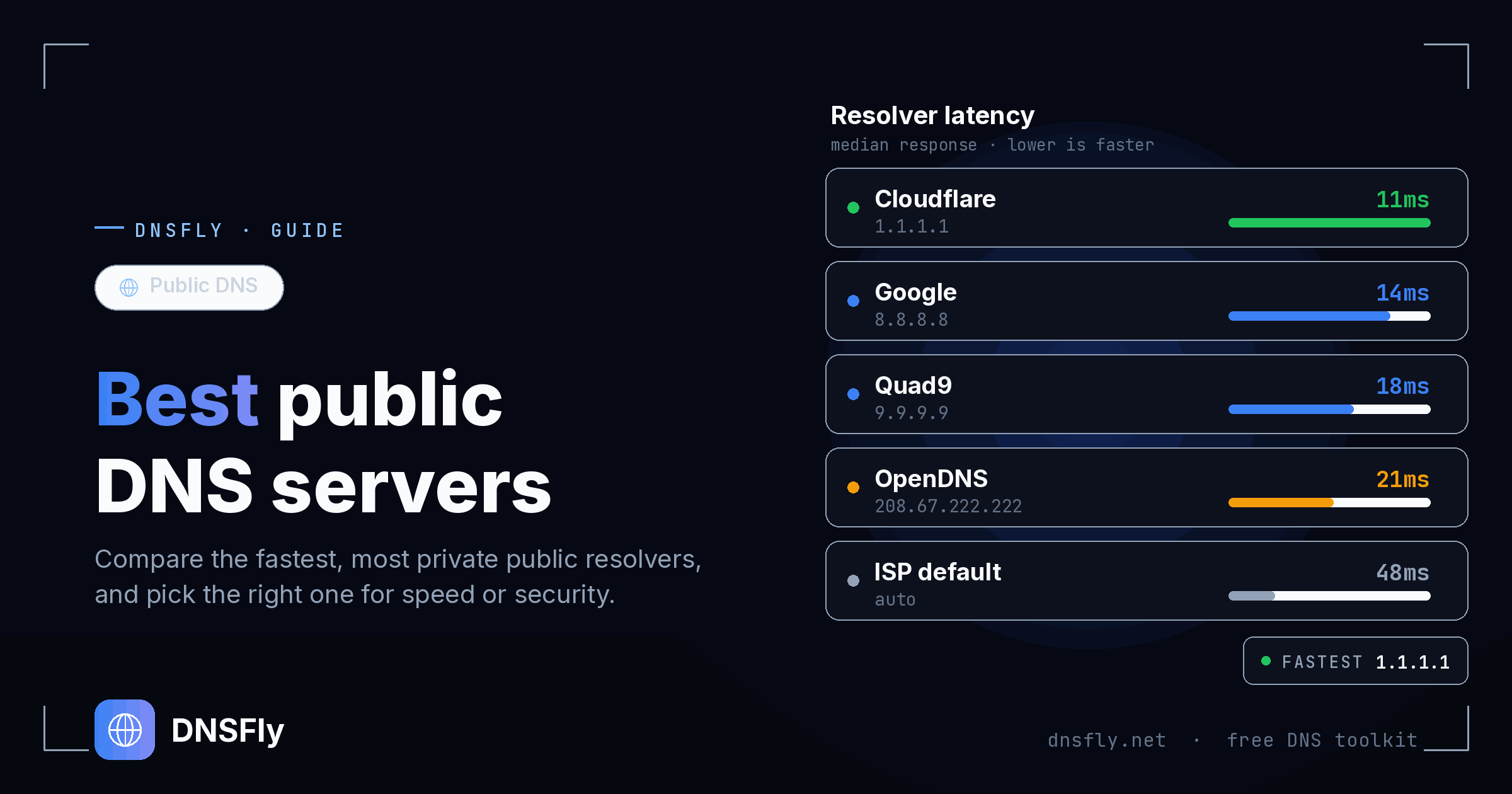
Quick Recommendations
Fastest: Cloudflare — 1.1.1.1
Most Popular: Google — 8.8.8.8
Best Security: Quad9 — 9.9.9.9
Family Filter: OpenDNS — 208.67.222.123
DNS Servers Comparison
| Provider | Primary | Secondary | Best For |
|---|---|---|---|
| Cloudflare | 1.1.1.1 | 1.0.0.1 | Speed + Privacy |
| 8.8.8.8 | 8.8.4.4 | Reliability | |
| Quad9 | 9.9.9.9 | 149.112.112.112 | Security |
| OpenDNS | 208.67.222.222 | 208.67.220.220 | Customization |
| OpenDNS Family | 208.67.222.123 | 208.67.220.123 | Parental Controls |
| AdGuard DNS | 94.140.14.14 | 94.140.15.15 | Ad + Tracker Blocking |
Cloudflare DNS (1.1.1.1)
The fastest public DNS resolver. Cloudflare promises not to log your IP address and deletes all logs within 24 hours.
Family options: 1.1.1.2 (blocks malware) and 1.1.1.3 (blocks malware + adult content).
Google DNS (8.8.8.8)
The most widely used public DNS since 2009. Extremely reliable with a massive global infrastructure.
Note: Google does log some data temporarily for performance and security purposes.
Quad9 (9.9.9.9)
Security-focused DNS that automatically blocks known malicious domains. Run by a Swiss non-profit with strict privacy laws.
OpenDNS (208.67.222.222)
Best for families and businesses who want customizable content filtering. Create a free account to block specific categories.
AdGuard DNS (94.140.14.14)
The best public resolver if your priority is blocking ads and trackers at the DNS level. AdGuard DNS filters ads, trackers, and known malicious domains before they ever load, with no browser extension or extra software required. Optional family servers add adult-content filtering on top.

Try AdGuard DNS free
Use the free public servers, or upgrade for custom blocklists, per-device settings, and query analytics.
DNSFly earns a commission if you sign up through this link, at no extra cost to you.
How to Change DNS
Windows
Settings → Network → Change adapter options → Right-click → Properties → IPv4 → Use following DNS
Mac
System Preferences → Network → Advanced → DNS tab → Add servers
Router (Recommended)
Login to router admin → Find DNS settings → Enter primary and secondary DNS
Test Your DNS Configuration
After changing DNS, verify your domain resolves correctly from all global locations.
Check DNS Propagation